
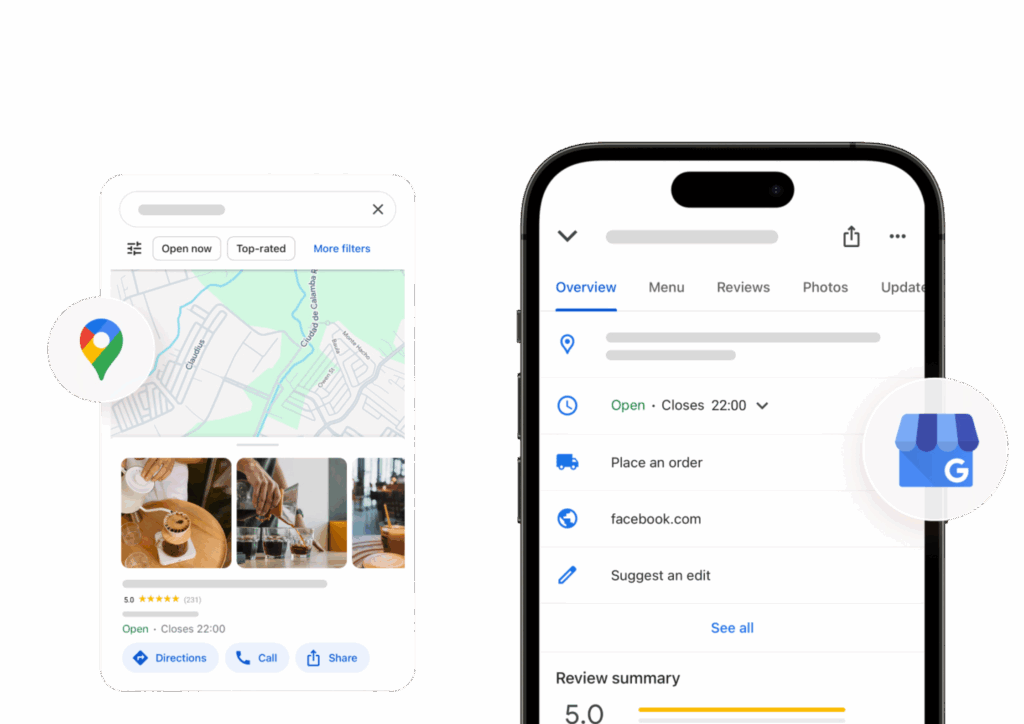
How to Optimize Google Business Profile to Rank in Google Maps
How do you optimize a Google Business Profile to rank in Google Maps? Your Business Profile is what people see when they search for a service nearby. A complete, active profile ranks higher than an empty one, and it also brings more calls and visits. This guide explains, step by step, how to optimize it to rank in Google Maps.
COMPLETE EVERY PART OF YOUR GOOGLE BUSINESS PROFILE
Start by filling in every part of your profile. Add your exact business name, the correct category, your services, your hours, your phone number and your website. Add a clear business description that explains what you do, in plain words. Then check that your details match everywhere else on the web, your website, your social pages and your directory listings should all show the same name, address and phone number. Google trusts businesses whose details are the same everywhere. A profile with missing parts looks unfinished, and Google shows finished profiles first. Add your opening hours carefully, including holiday hours, so people do not visit when you are closed. If you deliver or visit customers, add your service area too. A profile with correct, complete details is the base for everything else, without it, reviews and posts help far less.
Choose the Right Categories and Services
Your primary category is one of the most important choices on your profile. It should match your main service, not a general category that covers everything. Then add your other services as secondary categories and in the services section, so Google understands everything you offer. Do not add categories for services you do not provide; that only confuses Google and the people who find you. If you serve more than one area, list your real service areas honestly. The right categories help Google show your business to the right people, at the right time.
Reviews, Photos and Trust
Reviews and photos are what make people choose your business. Ask your happy customers for a review after the work is done, and reply to every review, good and bad, in a polite and honest way. A business with recent, real reviews looks more trustworthy than a business with no reviews at all. Add real photos too: your shop, your team, your work, and your products. Photos taken by you are better than stock photos, because they show the real business. Never buy fake reviews. Google removes them, and one fake review can cost you the trust of real customers.
Keep Your Profile Active With Posts
A profile that is updated regularly ranks better than a profile that is never touched. Use Google Posts to share news, offers, new services and seasonal updates. Keep your hours correct, especially on holidays. Add new photos when you finish a job or add a service. If anything changes, a new phone number, new hours, a new service, update the profile the same day. Small, regular updates tell Google that your business is open and active, and they give people a reason to choose you over a business whose profile has not changed in a year. Answer the questions people ask on your profile, too. Google lets people ask questions about your business, and your answers show up for everyone. A quick, helpful answer builds trust and saves you repeat phone calls. Treat your profile like a shop window: keep it clean, current, and full of useful information. Check your Google Business Profile once a month, even when nothing has changed. Look at the photos, the hours and the services, and fix anything that is out of date. A profile that stays correct builds trust, and it gives Google a clear reason to keep showing your Google Business Profile when people search for what you do.
Write a Business Description That Helps You Rank
Your business description is a short chance to tell Google and your customers what you do, who you serve, and what makes you different. Write it in plain words, and mention your main services and the areas you serve in a natural way. A plumber, for example, might mention emergency repairs, boiler servicing and the towns covered, without repeating the same phrase over and over.
Do not stuff the description with keywords, and do not copy the text from your website word for word if you can say it better for a local reader. Keep it honest and up to date. If you add a new service, change your hours, or start serving a new area, update the description at the same time, so the profile always matches the business a customer will find.
Use Photos and Video to Show Your Business
Photos help people decide whether to visit or call, and they help Google understand what your business looks like. Add clear photos of the outside of your premises, so people can find you, and of the inside, your team, and your work. A cafe might show its seating and its food, a garage might show its workshop and a recent repair, and a salon might show its chairs and the styles it offers.
Add new photos regularly, rather than uploading ten at once and then nothing for a year. Fresh photos show that the business is still active, and they give returning customers something new to see. Short videos can help too: a simple walk-through, a look at a job in progress, or a short welcome from the owner can make a profile feel far more real than stock images ever will.
Answer Questions and Handle Negative Reviews Well
The questions and answers section on your profile is often overlooked, but customers read it. Add the questions you are asked most often, such as whether you take bookings, whether there is parking, or what your opening hours are on a bank holiday, and answer them in your own words. Check for new questions regularly, and answer them promptly, because anyone can answer them if you do not.
Negative reviews need a calm reply too. Thank the customer, say sorry for their experience, and invite them to contact you directly so you can put it right. Do not argue in public, and do not ask for the review to be removed simply because you disagree with it. A thoughtful reply shows future customers that you take problems seriously, and that can matter as much as the star rating itself.
Check Your Profile Regularly: A Simple Monthly Routine
Set aside a short time each month to check your profile. Are your hours still correct, including holiday hours? Are your services, photos and posts up to date? Are there new reviews to answer, and new questions to answer? Is there a duplicate profile, or an old listing with wrong details, that needs to be fixed? A short monthly check stops small errors from turning into lost customers.
Use the profile insights too. They show how people found you, whether they called, visited your website, or asked for directions. If most people call, make sure your phone number is easy to find. If many people ask for directions, check that your map pin is in the right place. Small changes based on what customers actually do are often the ones that make the biggest difference.
Frequently Asked Questions
How long does it take to rank in Google Maps? It varies. A complete profile in a quiet area may start to appear more often within weeks, while a business in a busy area with many competitors may need several months of steady work on reviews, photos and posts before it moves up.
Do I need a website to rank in Google Maps? No, a website is not required to have a Google Business Profile, but it helps. A clear website with your services, areas and contact details gives Google more to work with, and gives customers somewhere to go after they find you.